
Install Duerme Now on your device
Use it like a native app: no browser bar, no distractions, always one tap away.
Tip: Sign in or create your account before installing. That way, opening the app will take you straight to your library.
-
Open Duerme Now in Safari or Chrome
Open Duerme Now in Safari or Chrome on your iPhone or iPad.

-
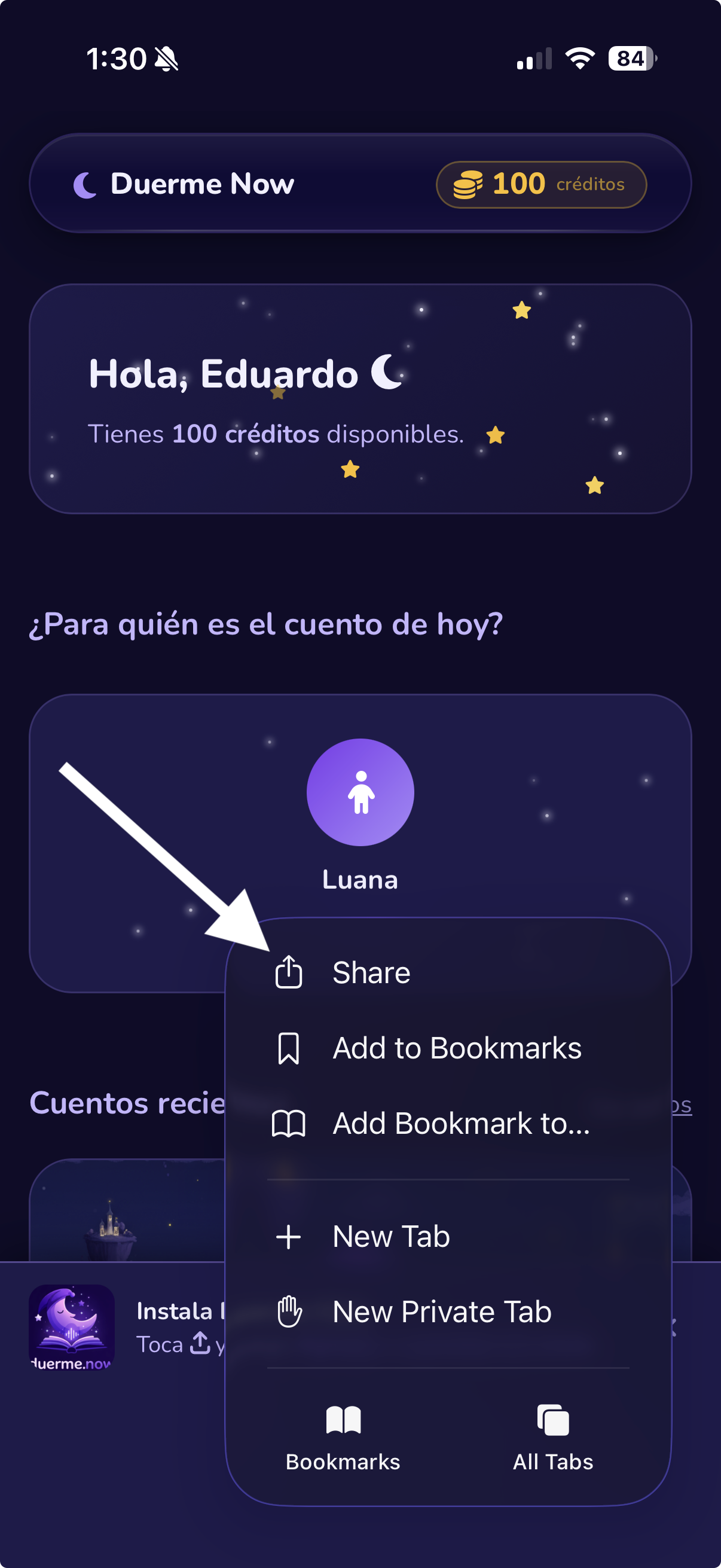
Tap the Share button
Tap the Share icon () in Safari's bottom toolbar.
-
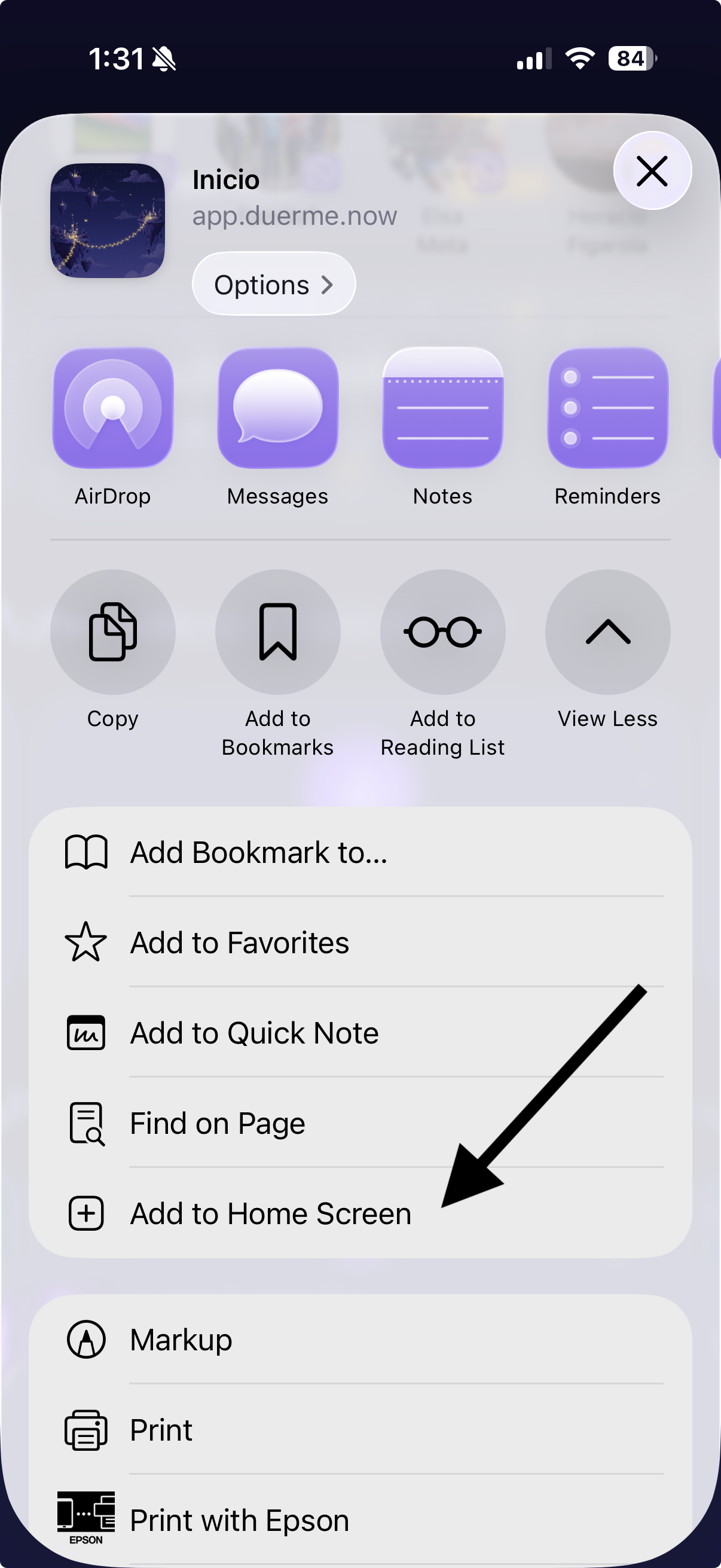
Tap "Add to Home Screen"
Scroll down in the menu and tap Add to Home Screen.
-
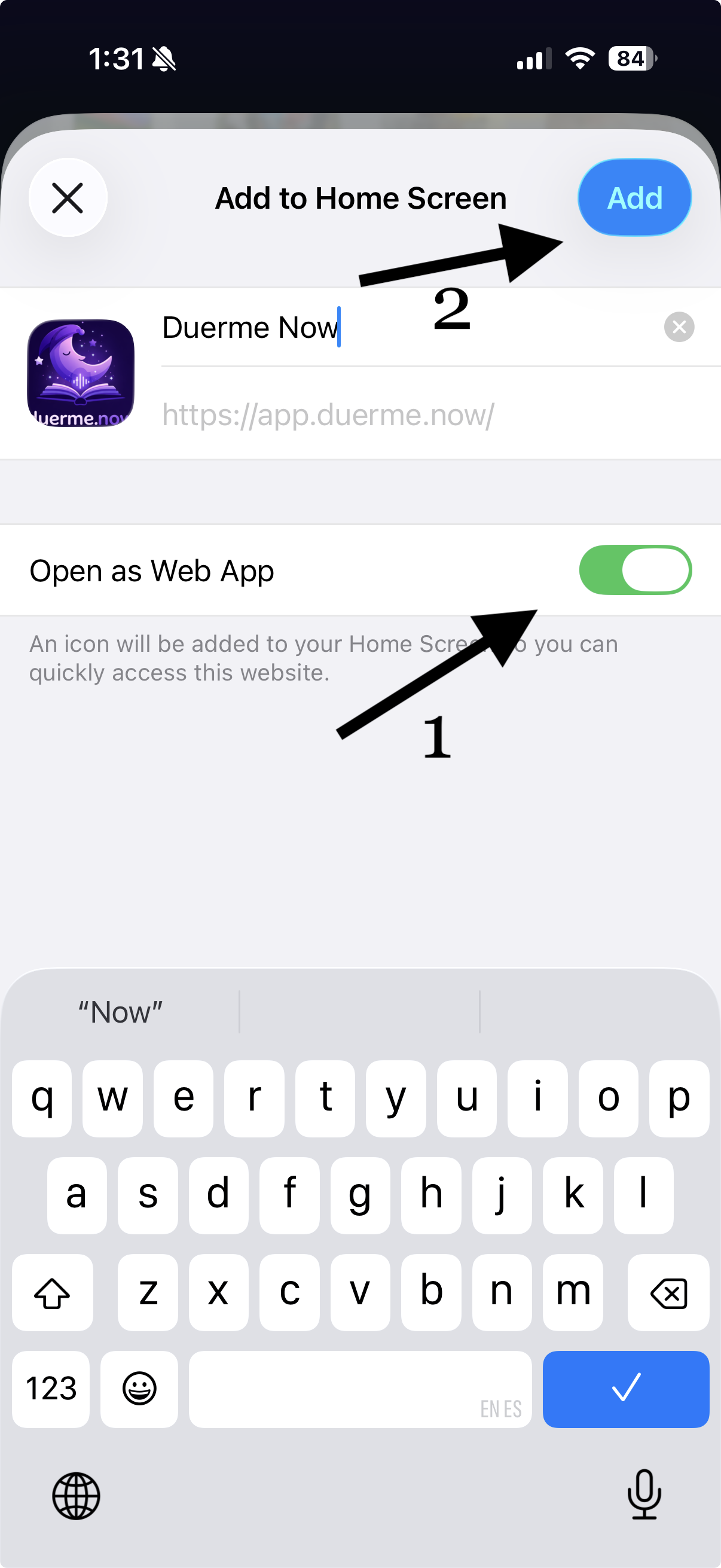
Confirm the installation
Tap Add in the top right corner to confirm.
-
Open Duerme Now in Chrome
Make sure you're using Chrome or another compatible browser.

-
Tap the three-dot menu
Tap the ⋮ icon in the top right corner of the browser.

-
Tap "Add to Home Screen"
Select Add to Home Screen or Install app.

-
Confirm the installation
Tap Add or Install in the dialog.

-
Open Duerme Now in Chrome or Edge
Make sure you're using Chrome or Microsoft Edge.

-
Find the install icon
An install icon appears at the right end of the address bar. If you don't see it, try refreshing the page.

-
Click Install
Click the icon, then click Install in the dialog.
